
Install Guide
iPhone Setup Guide
Follow these steps in Safari to install the app and turn on notifications. It takes about a minute — no app store needed.
Part A
Add to Home Screen
This installs the app so you can open it like any other icon on your phone.
- 1
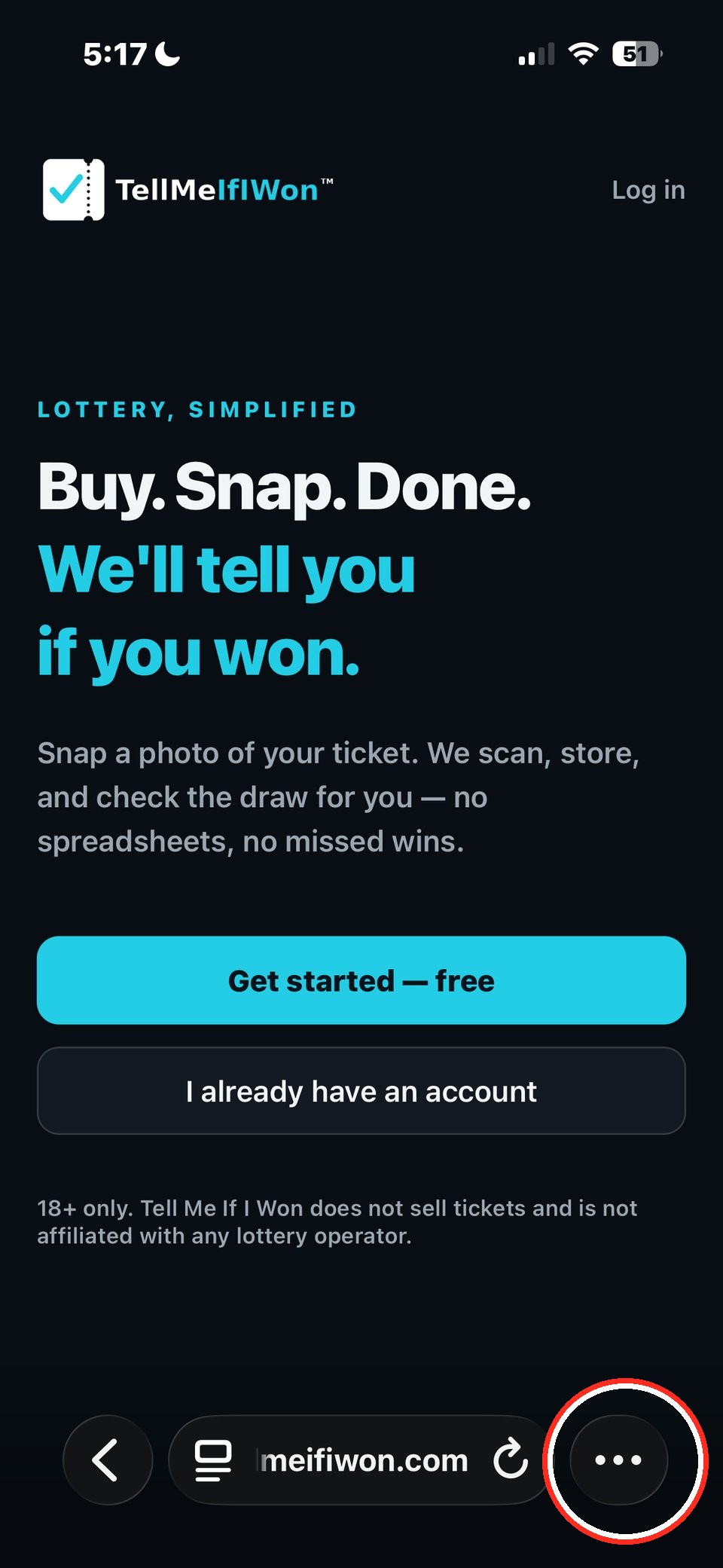
Open Safari and go to app.tellmeifiwon.com. Tap the ••• menu in the bottom-right corner.
- 2
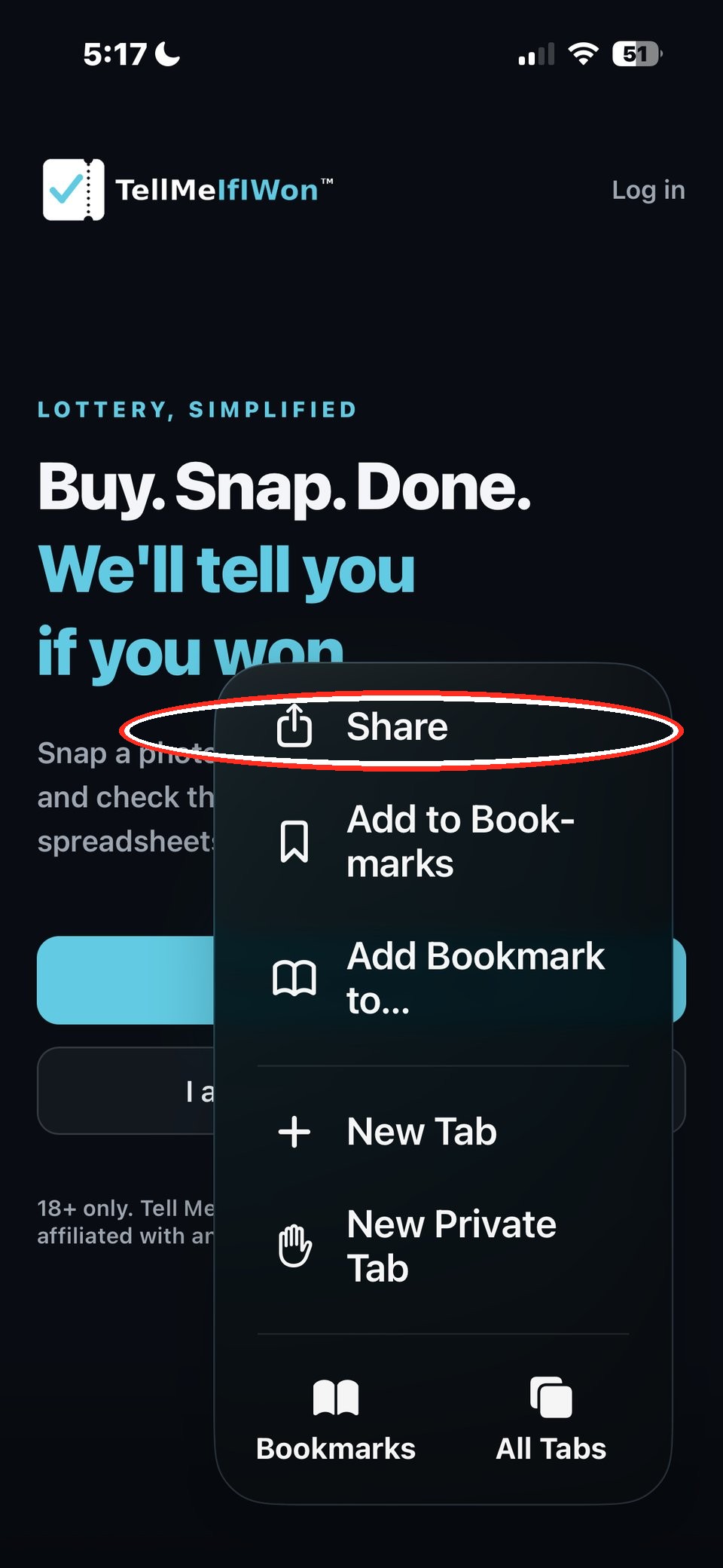
Tap Share at the top of the menu that pops up.
- 3
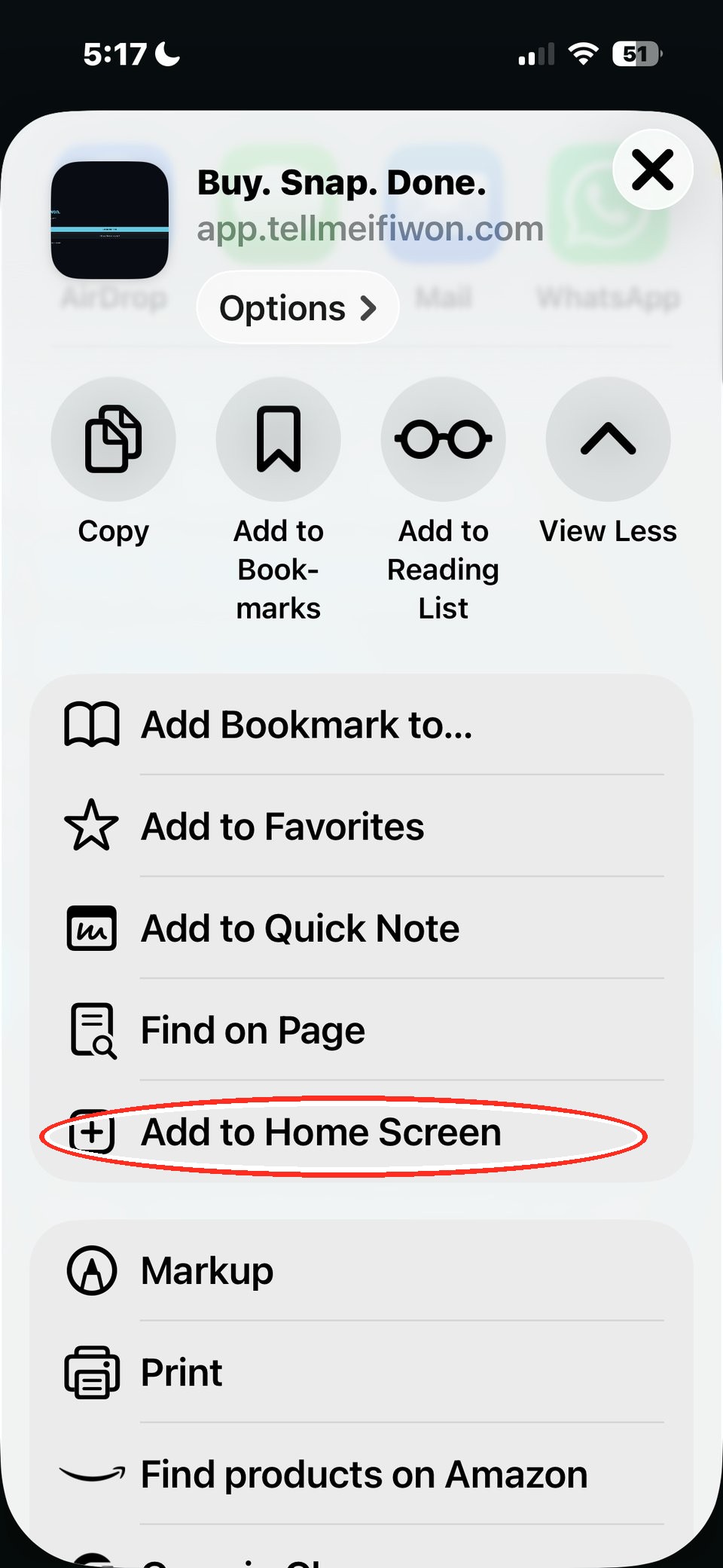
In the Share menu, scroll down and tap Add to Home Screen.
- 4
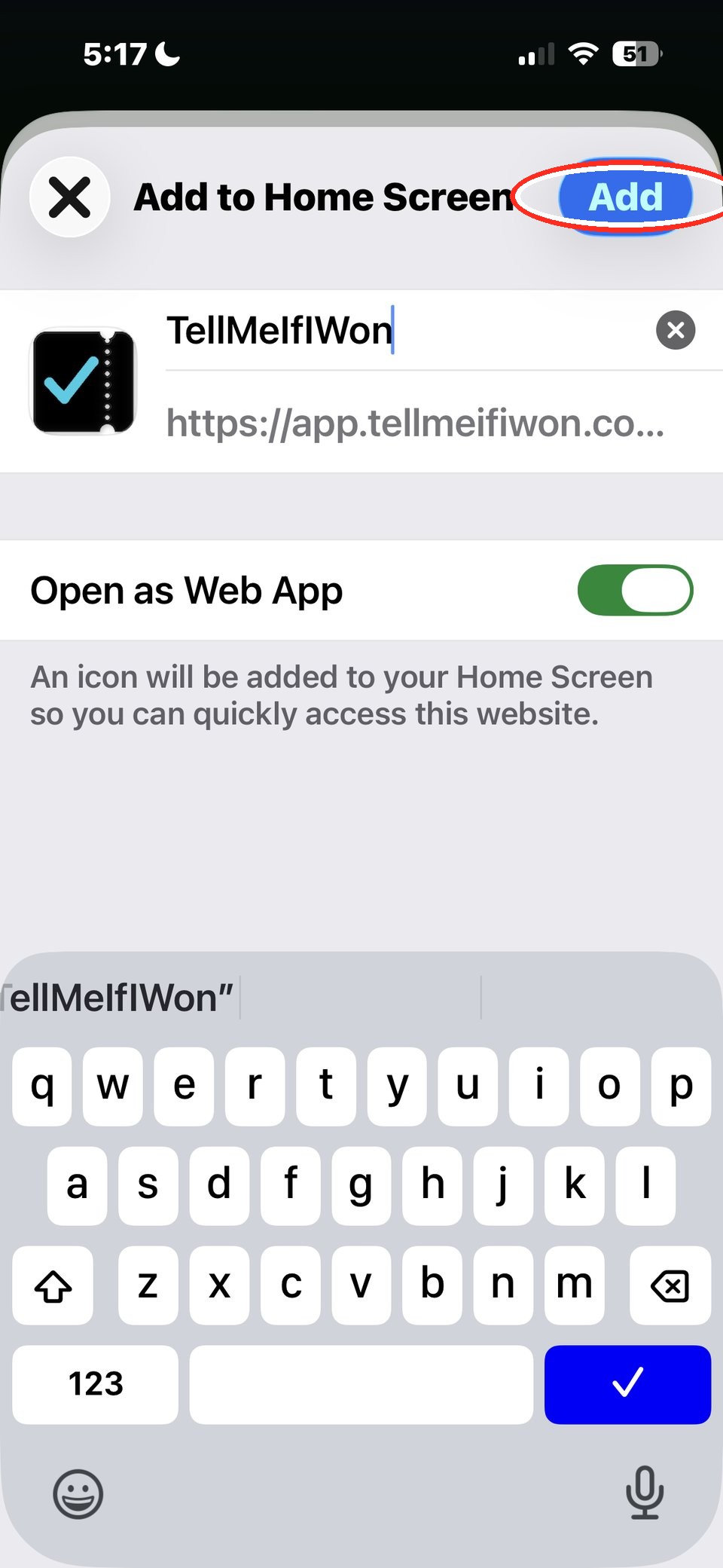
Tap Add.
- 5
Done — the TellMeIfIWon icon is now on your Home Screen. You can move it to any screen you like, just like any other app icon.
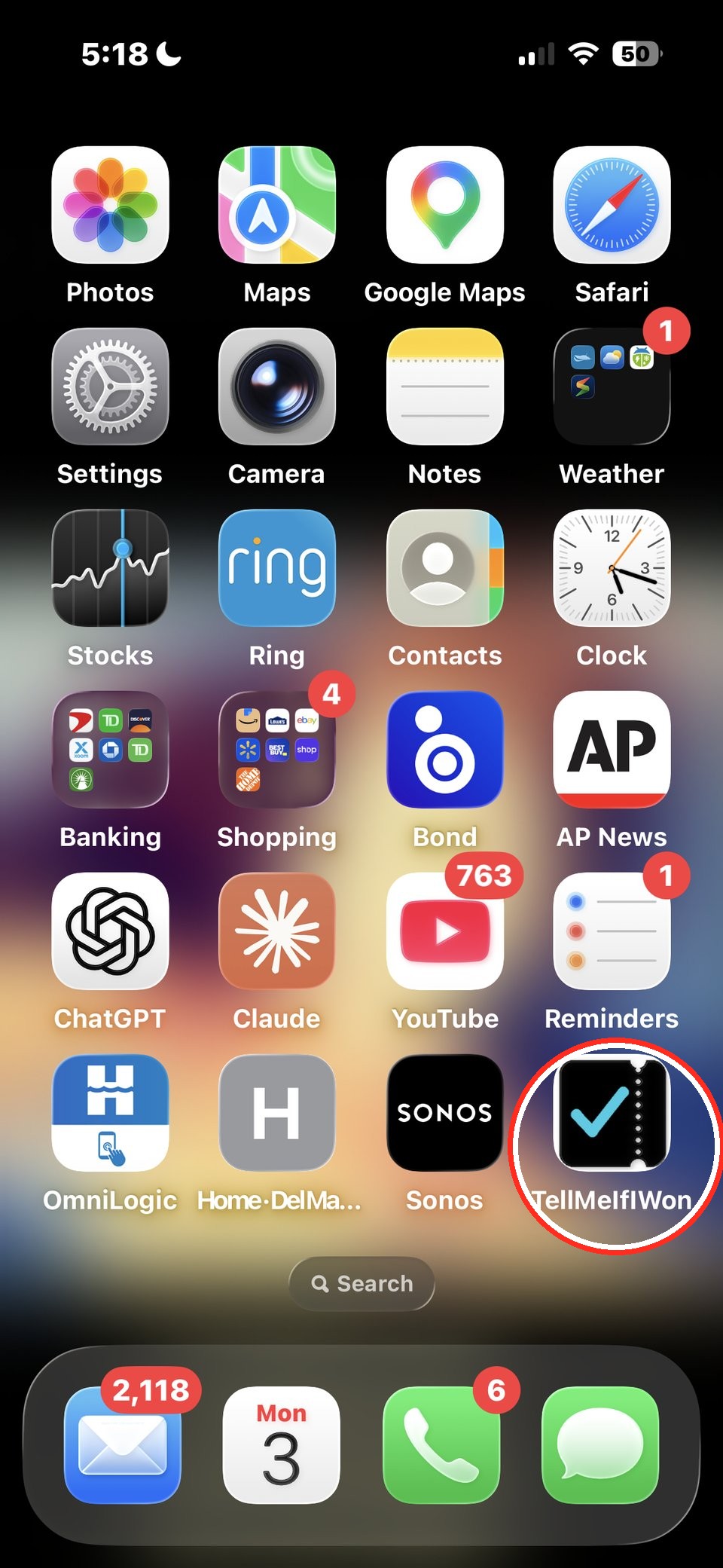
Part B
Turn on Notifications
iPhone keeps notifications off by default, so this part needs a couple of taps inside the app before we can alert you to a win.
- 1
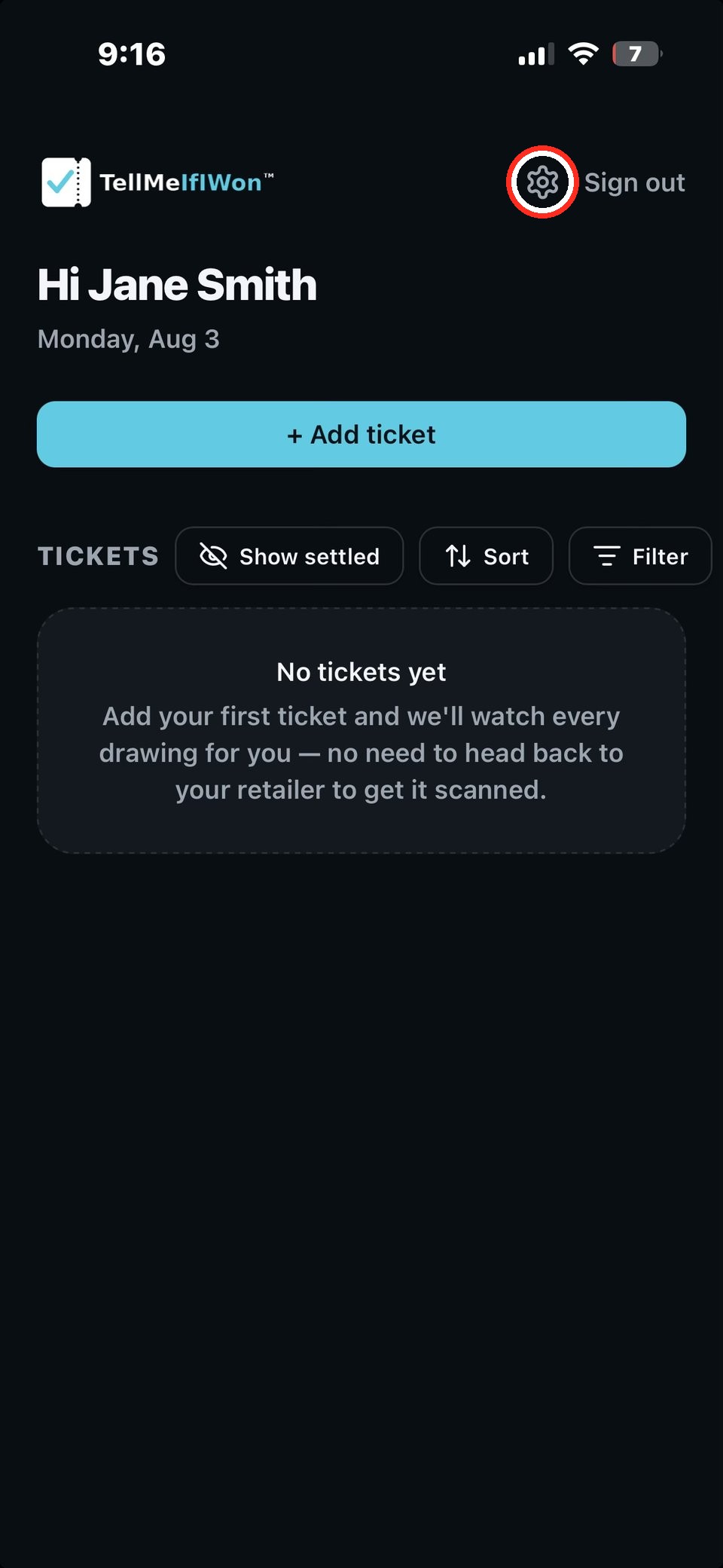
Close any TellMeIfIWon tab still open in Safari from Part A, then open TellMeIfIWon from your Home Screen icon instead. Once it's open, tap the gear icon to reach Settings.
- 2
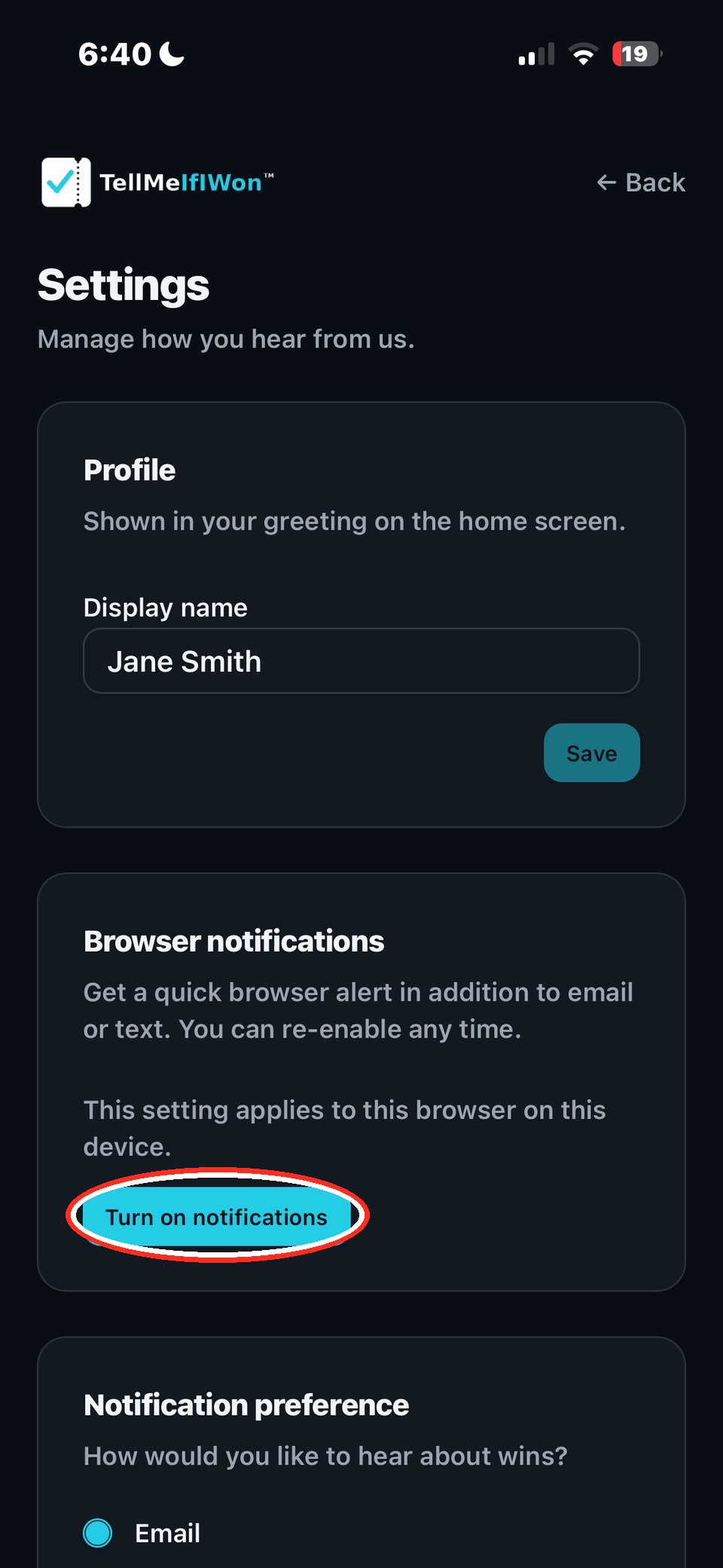
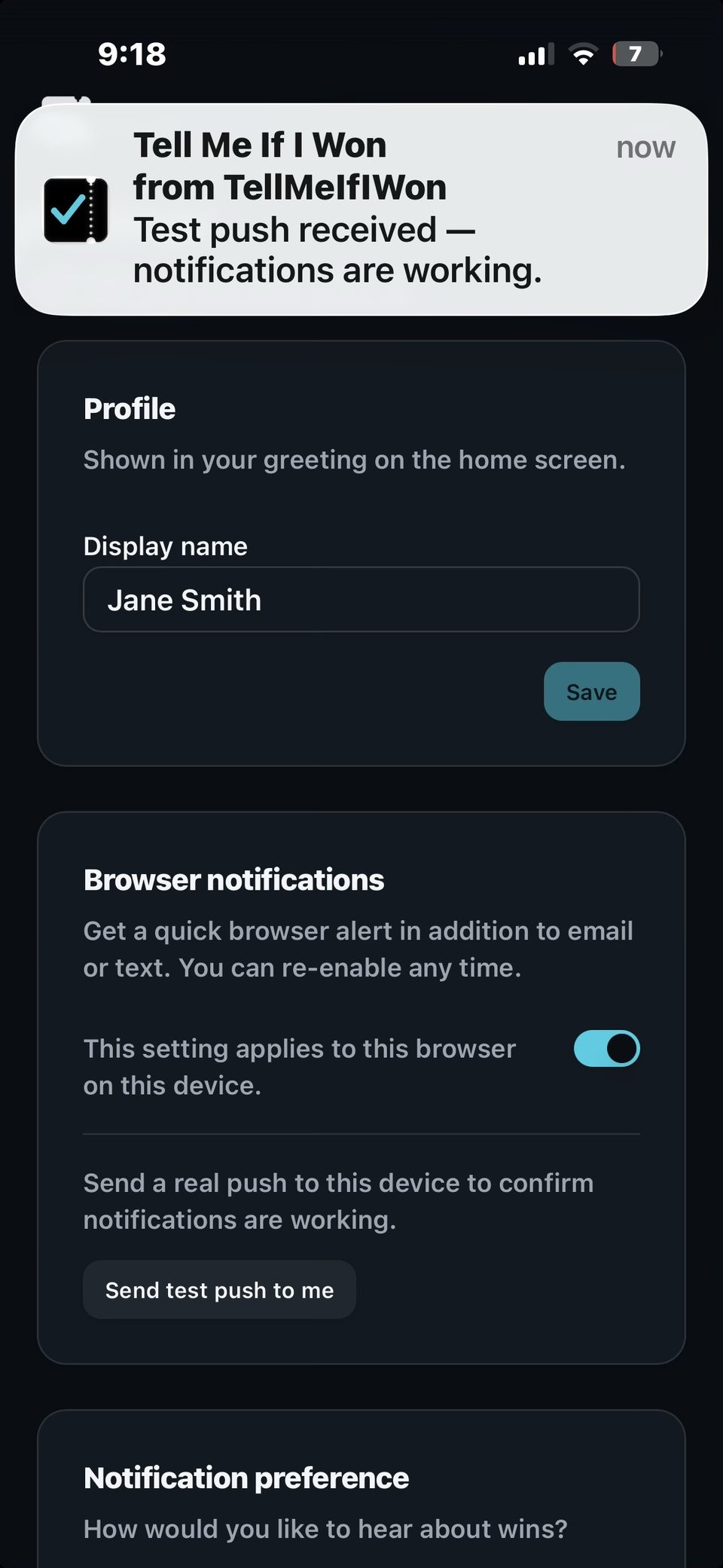
Under Browser notifications, tap Turn on notifications.
- 3
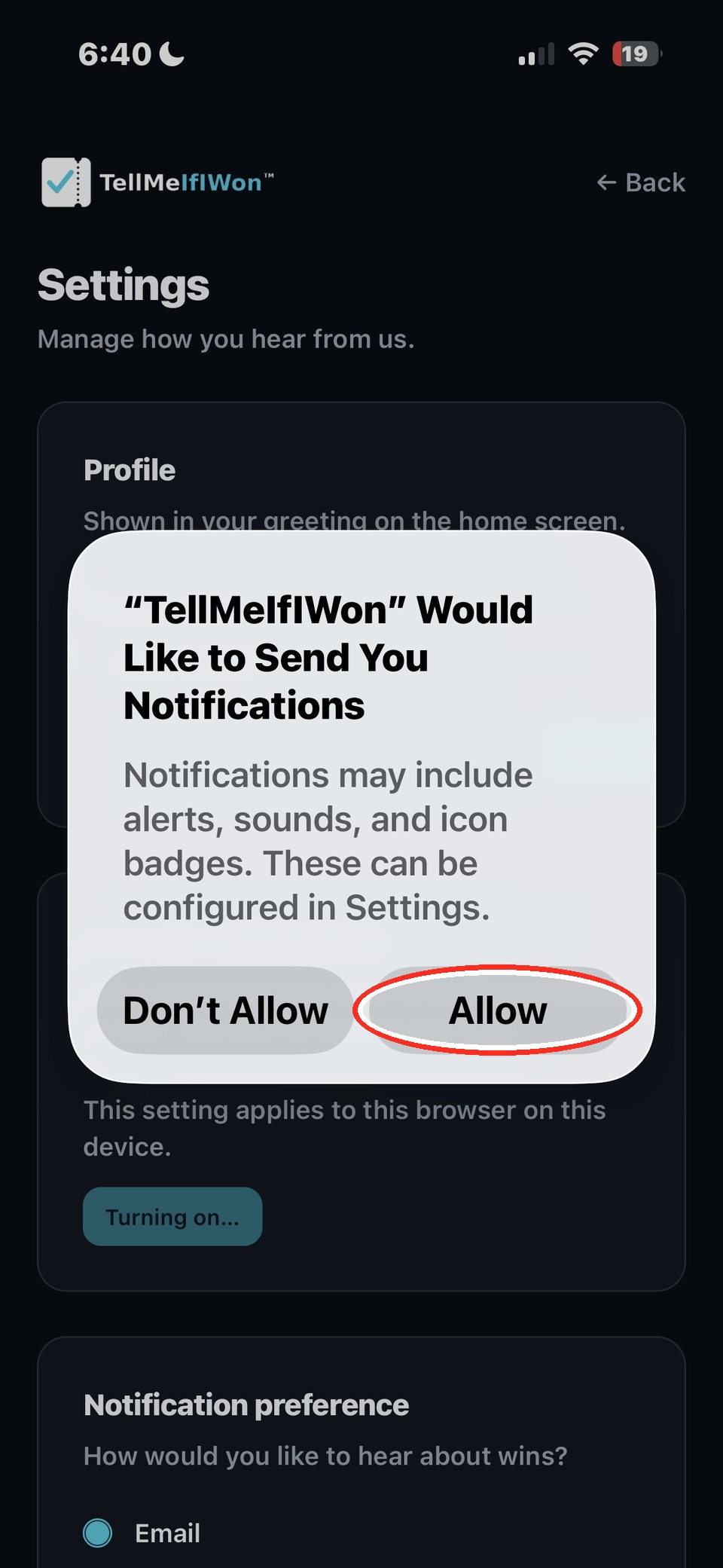
Tap Allow when iPhone asks if TellMeIfIWon can send you notifications.
- 4
Done — notifications are on. This is what a real alert looks like when we tell you if you won.
On an Android phone? See all install guides.