
Install Guide
Android Setup Guide
Follow these steps in Chrome to install the app. It takes about 30 seconds — no app store needed.
Add to Home Screen
Add to Home Screen
This installs the app so you can open it like any other icon on your phone.
- 1
Open Chrome and go to app.tellmeifiwon.com. Tap the ⋮ menu in the top-right corner.

- 2
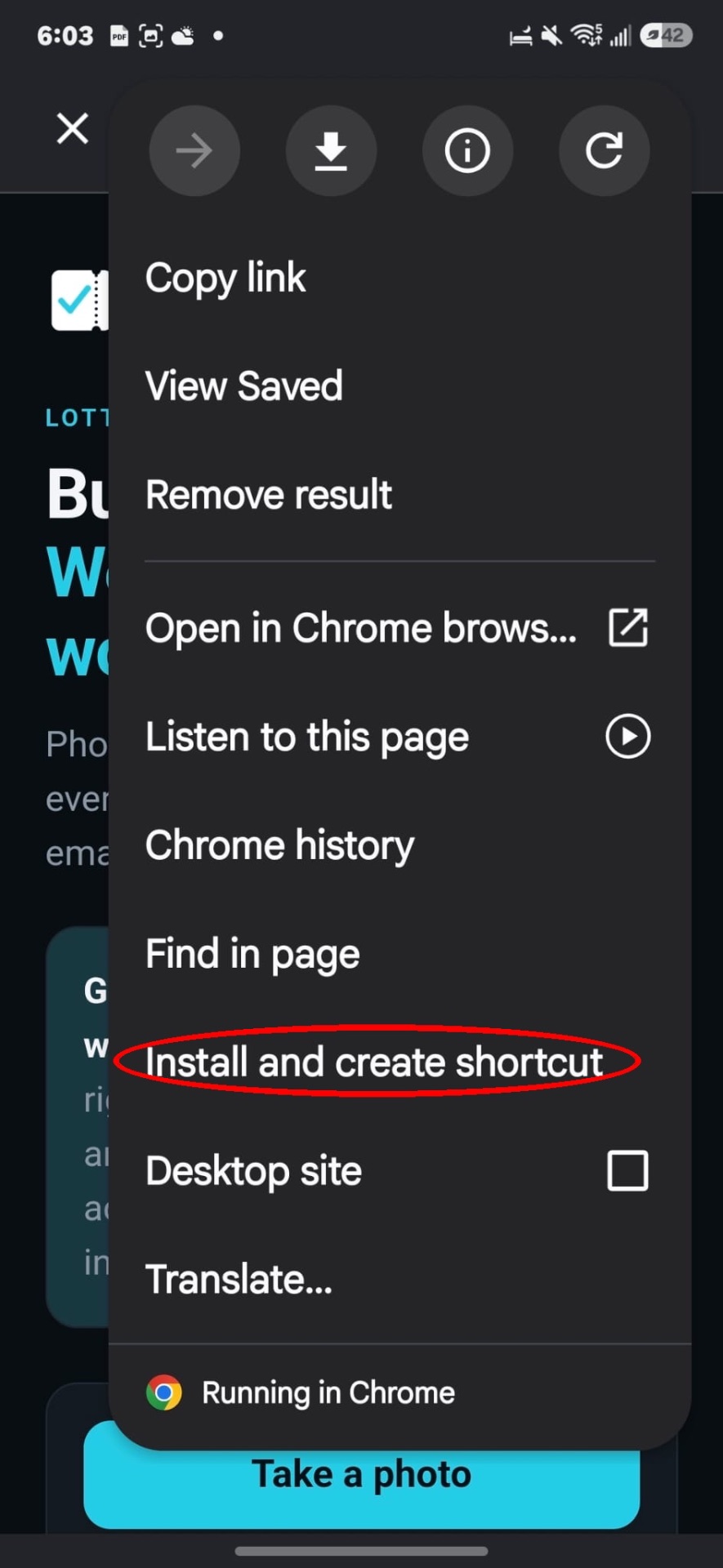
Scroll down in the menu that opens until you see Install and create shortcut, then tap it.
- 3
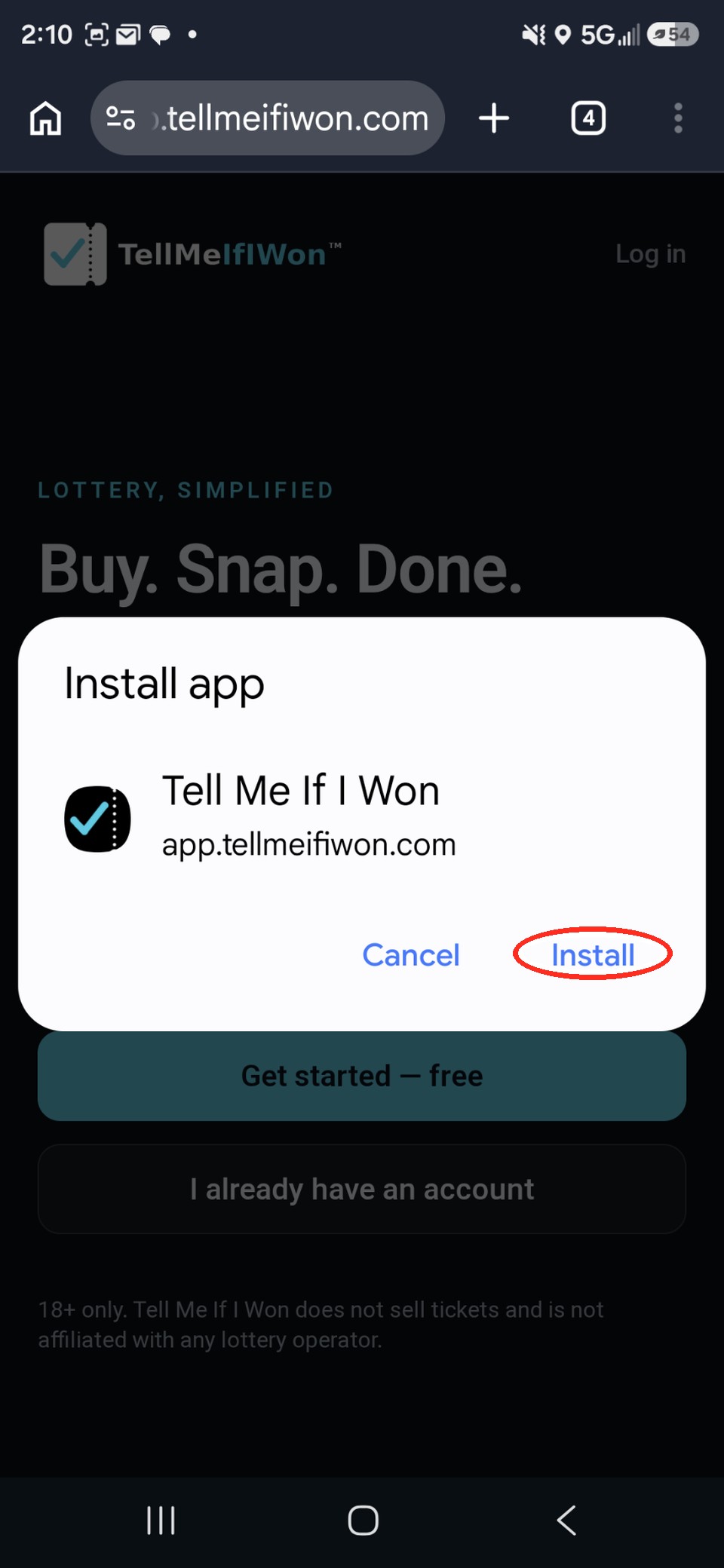
Tap Install.
- 4
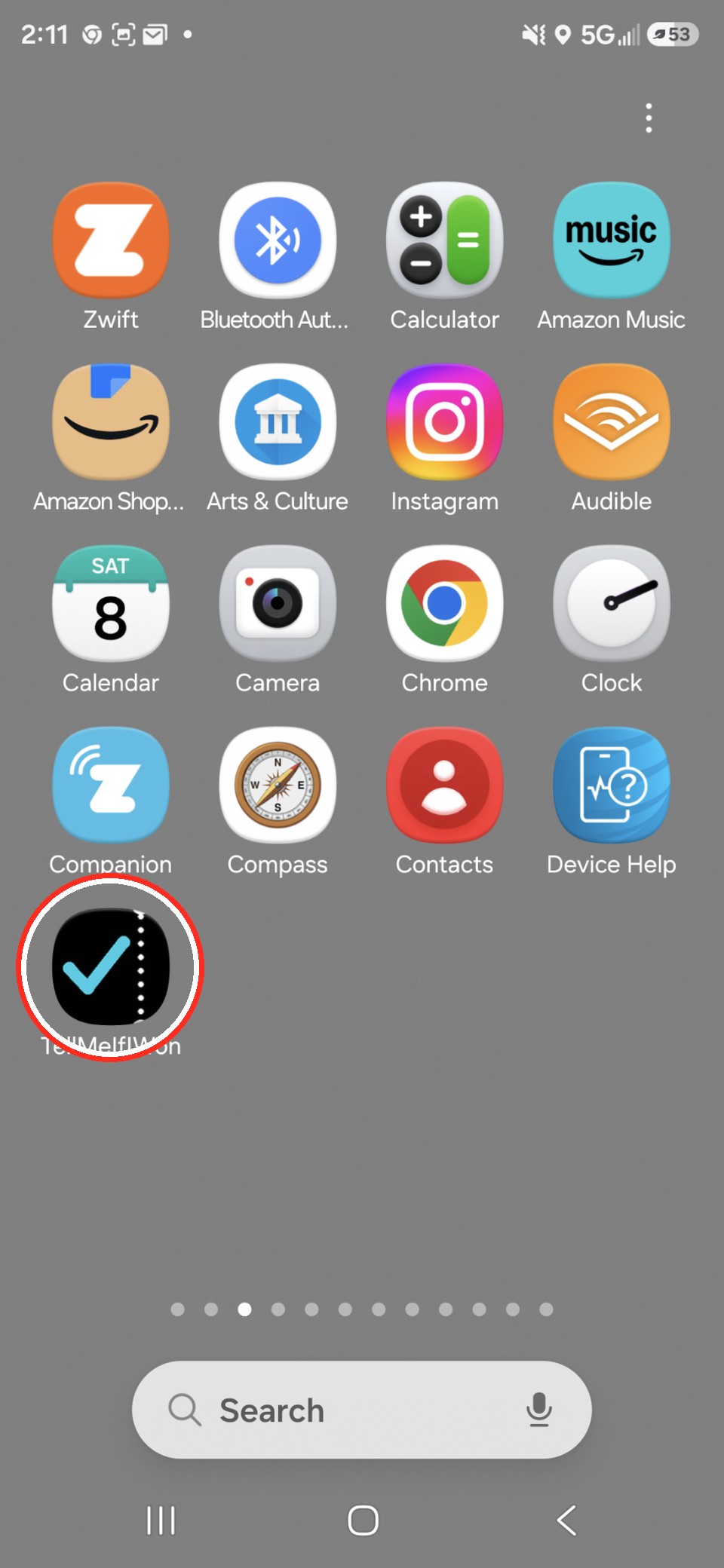
Done — the TellMeIfIWon icon is now on your Home Screen. You can move it to any screen you like, just like any other app icon.
On an iPhone? See the iPhone guide.